2026-07-31
How to connect WhatsApp Business to Wapedia
Wapedia signup is still invite-only and not open to the public. Once you have access, connect the WhatsApp Business number from the dashboard without pasting a token into a form.
How to connect WhatsApp Business to Wapedia
Connecting a shop number to Wapedia uses Meta’s official path, so you do not scan a QR code the way WhatsApp Web does. Choose Connect WhatsApp in the dashboard, then follow the Meta window: sign in to the Facebook account that owns the business, pick the number, and finish SMS or voice verification. You do not paste a token by hand.
The screenshots below are from a Sandbox test account. A live shop looks similar; only the test banner goes away.
Prepare first
Self-serve signup is not available, so you need an invite. Email halo@wapedia.id or use pricing, then sign in at app.wapedia.id after the invite is active.
The Facebook account must be allowed to manage the shop’s WhatsApp. If you are not an admin, ask someone who has that access.
The number must be able to receive SMS or a voice call for verification. If it is still on the regular WhatsApp app on a phone, Meta usually asks you to release it first, so avoid a personal number that still carries day-to-day chats.
Log in
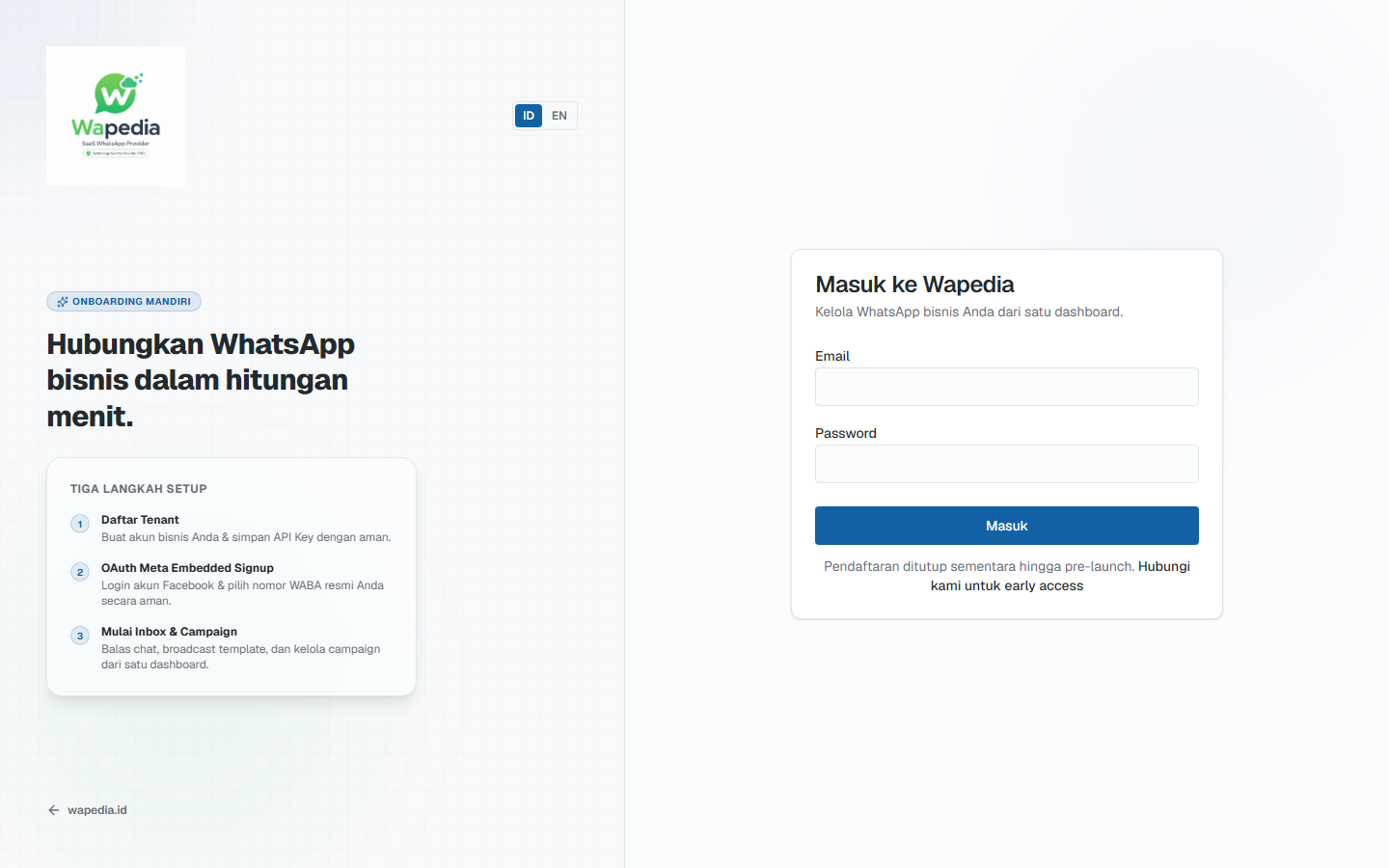
Enter email and password, then Log in. The note under the button that signup is closed matches current policy: people without an account request an invite instead of waiting for a signup form on this page.
Start on Sandbox
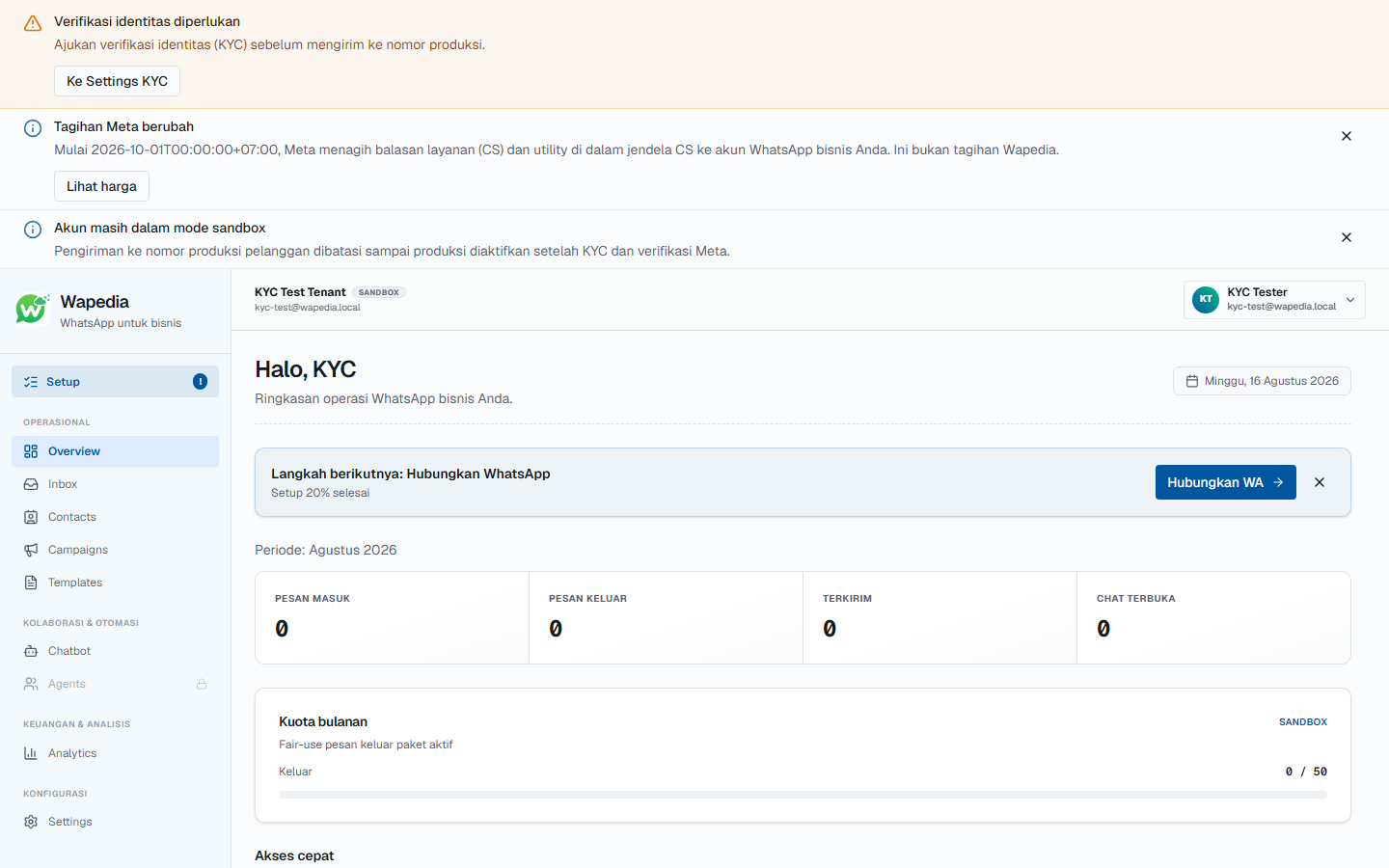
New accounts almost always land on Sandbox, with a yellow or blue banner for identity verification (KYC) or sandbox status. That stage is for testing the number and send flow, not for serving real customers. Start with Connect WhatsApp on the “next steps” card, or from Settings.
The Wapedia plan covers the inbox and platform features. WhatsApp conversation charges are billed by Meta to your business account. Figures: Cloud API costs.
Connect the number
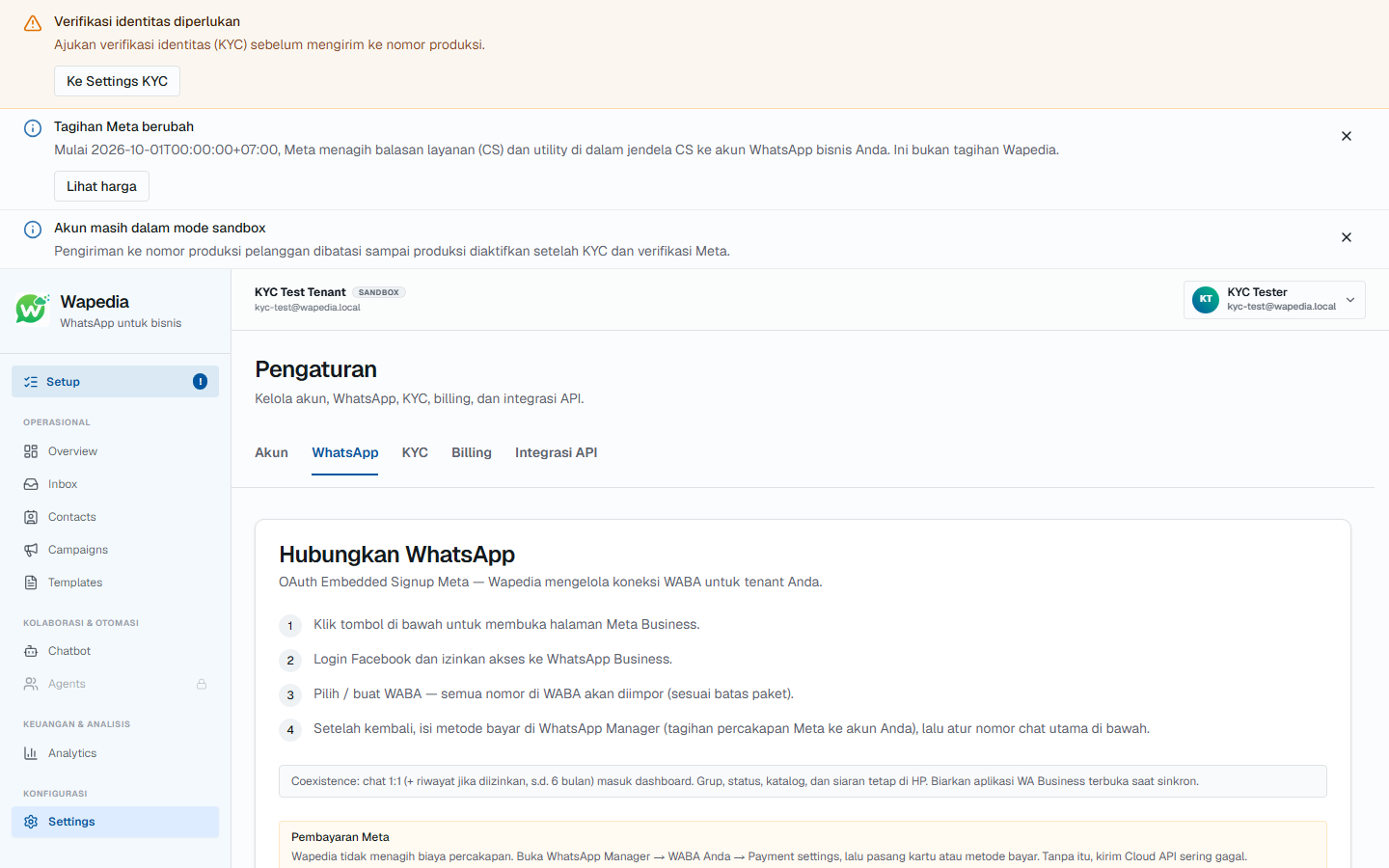
Open Settings, the WhatsApp tab, then Connect WhatsApp. In the Meta window the order is roughly:
- Sign in to Facebook.
- Pick a business, or create one.
- Pick a WhatsApp Business account, or create one.
- Enter the number, wait for the code, type it in.
- Approve the requested permissions.
When that finishes, you return to the dashboard with the number connected. The same card notes that chats are billed by Meta, and the conversation payment method is set in WhatsApp Manager, not on the Wapedia plan.
For developers: API key
If your customer-care team only replies in the inbox, you can skip this section. An API key is needed when the shop’s own app sends messages from a server.
Open the API integration tab.
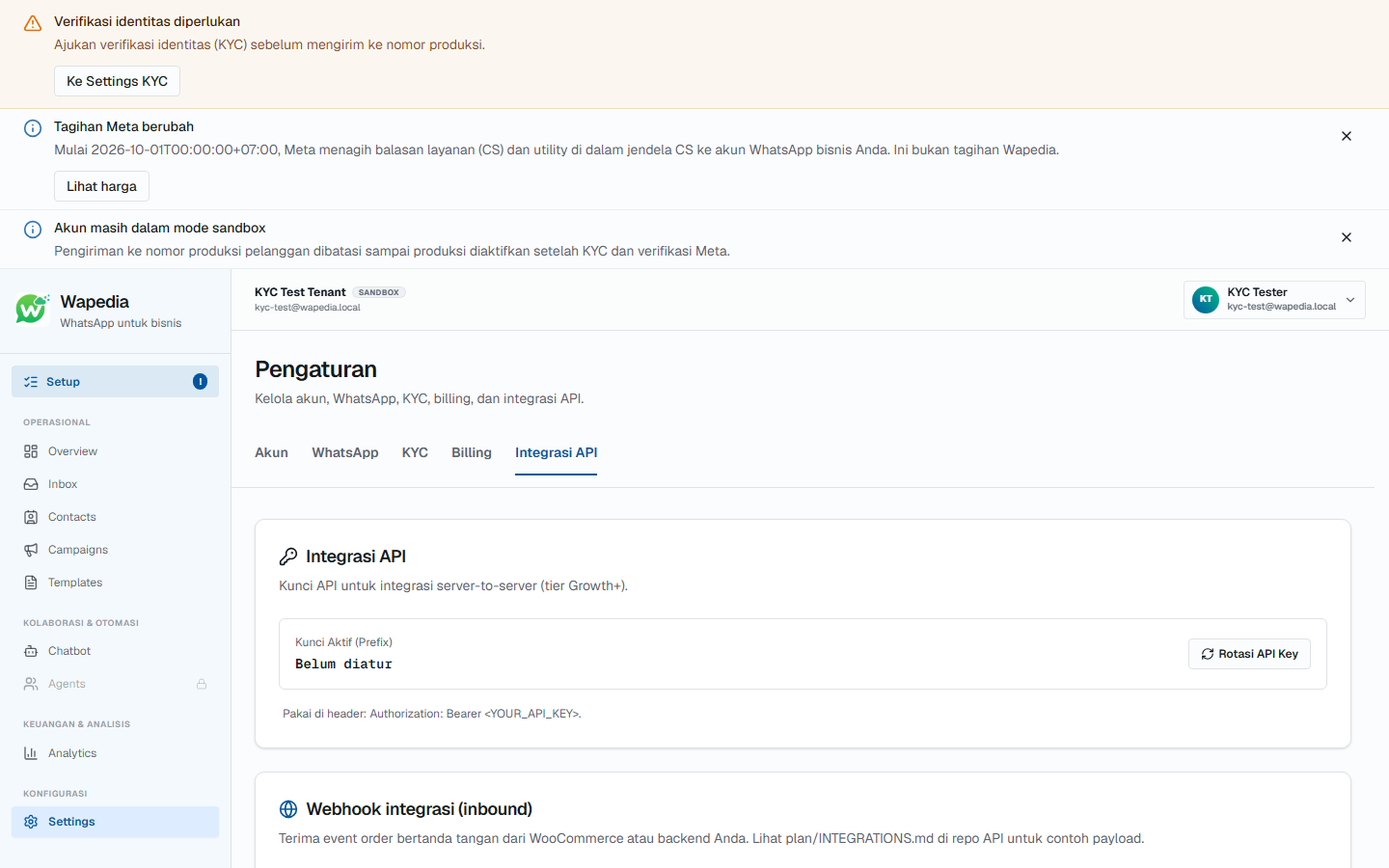
Rotate API Key creates a new key, and the full string appears only once on that screen. Store it in a server environment variable, and do not put it in a GitHub repository. If it leaks, rotate again from the same page; the prefix on the dashboard is not the full secret.
Send it in the header:
Authorization: Bearer <API_KEY>Text-send examples: Quickstart. On success, the message is usually queued before it goes to WhatsApp.
Before you serve customers
On Sandbox you use a test number with a small send cap. Move to the shop number after identity verification (KYC) and Meta’s requirements are done.
Send capacity on Wapedia follows the active plan. When that quota is reached, sending through the platform pauses until you upgrade. That cap is separate from Meta conversation rates on your WABA.
After the number is connected
Customer chats appear in Inbox. If the same events should hit your own server, see webhooks.
Public signup is closed. Early access via pricing or halo@wapedia.id.